Activating your MotoFlasher license is essential to unlock all functionalities of the software. Follow these steps:
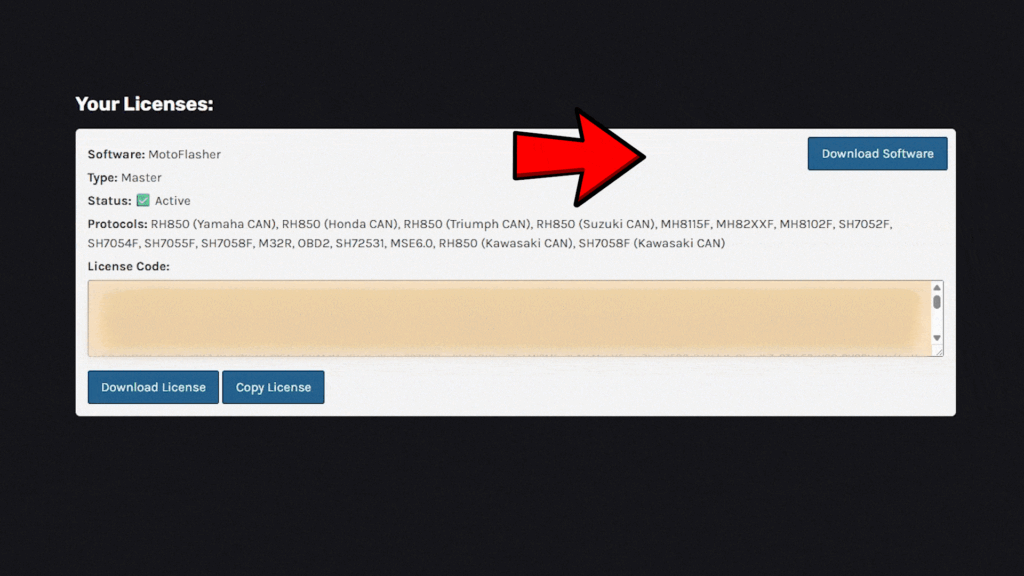
#1 Download MotoFlasher
Once you subscribe to a plan, you will receive a account details via email, which you use to login to your dedicated Members Area. From there, you will be able to download MotoFlasher installer.
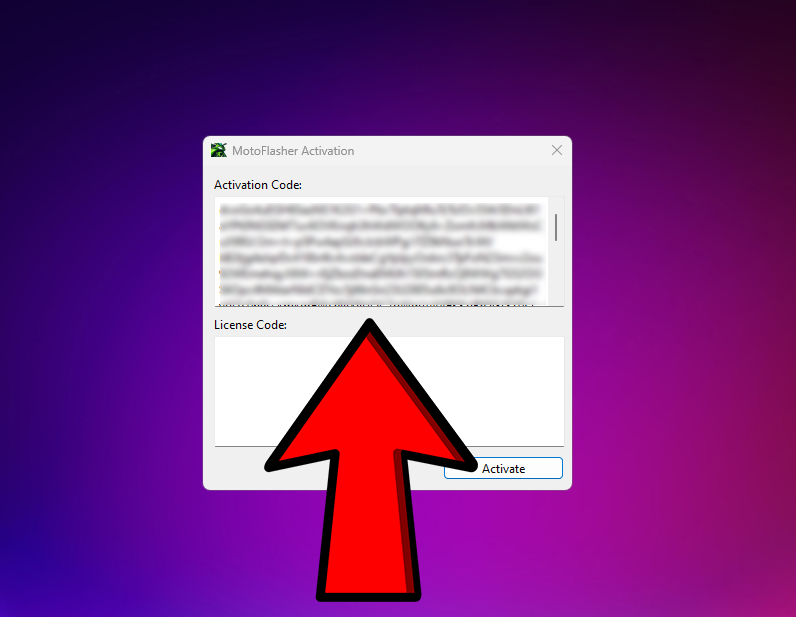
#2 Copy Activation Code
Once you download MotoFlasher installer, run it and install software on your device. After installation, run MotoFlasher and you will be presented with activation screen. Select all text in “Activation Code” and copy it to clipboard (CTRL + C, or right click Select All, then Copy)
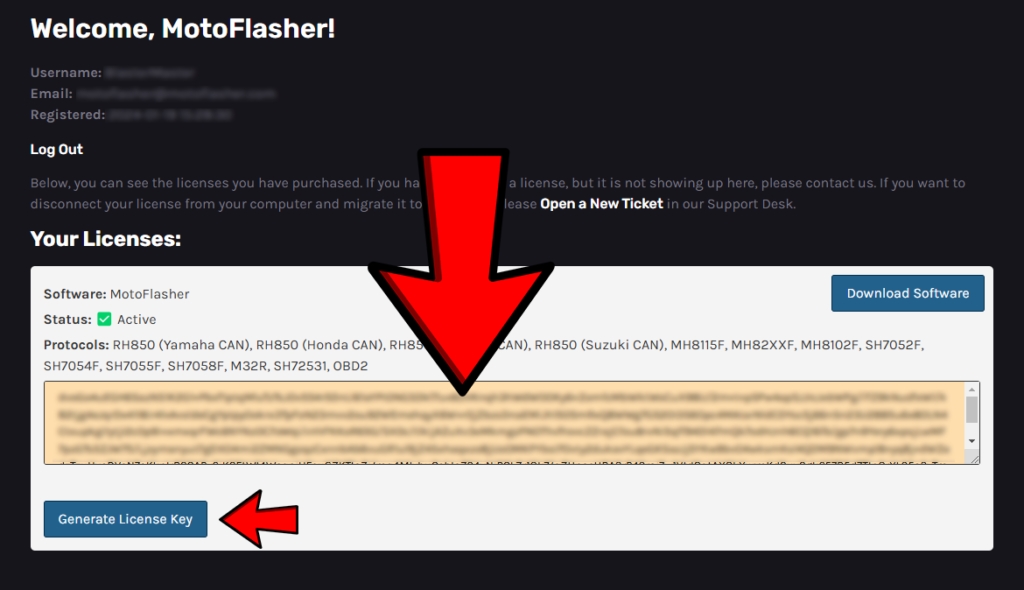
#3 Generate License
Navigate back to MotoFlasher website and Members Area, and paste the “Activation Code” in the only available yellow field. After that, press “Generate License Key”.
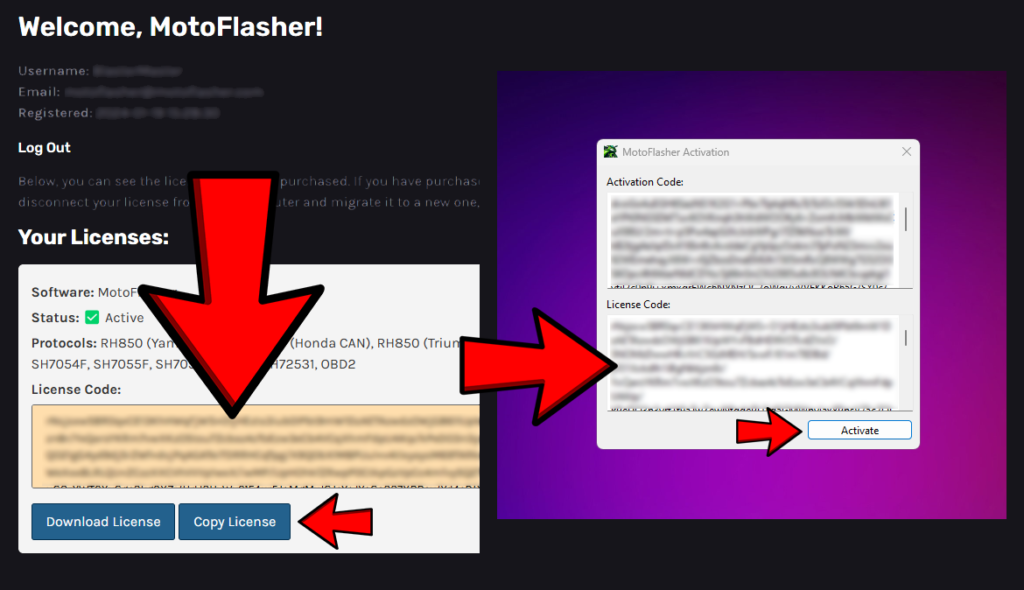
#4 Use License
After pressing “Generate License Key”, your screen will refresh and you will be presented with “License Code”. Copy this code either manually, or buy pressing “Copy License” button and paste it back inside of MotoFlasher activation screen.
Press Activate and enjoy using MotoFlasher!
Troubleshooting
If activation fails, ensure:
Your key is entered correctly (case-sensitive).
Your subscription is active.
The software is updated to the latest version. If issues persist, contact support with your license details.
You have connection to the Internet.
For any other problems during activation, please contact us via Support Desk.
say hello toMotoFlasher V2
This release brings the latest updates and improvements, and introduces a subscription model. Lifetime users keep full access to all their existing add-ons when they subscribe, with no loss of previously purchased features.
Update now to get the newest version and continue using your add-ons without interruption.